


Page 66 - Inner-3
P. 66
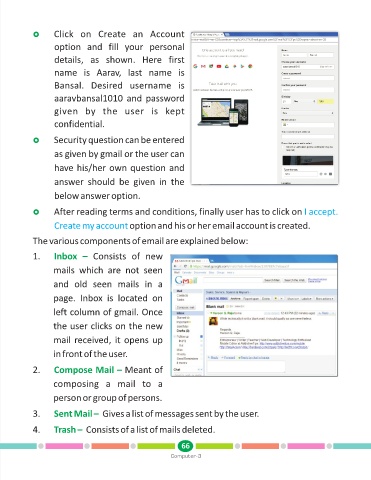
Click
            ? on  Create  an  Account
                   option  and  fill  your  personal

                   details,  as  shown.  Here  first
                   name  is  Aarav,  last  name  is

                   Bansal.  Desired  username  is

                   aaravbansal1010  and  password

                   given  by  the  user  is  kept
                   confidential.


                   Security question can be entered
            ?
                   as given by gmail or the user can

                   have his/her own question and

                   answer  should  be  given  in  the
                   below answer option.


            ?reading terms and conditions, finally user has to click on I accept.
                   After
                   Create my account          option and his or her email account is created.

            The various components of email are explained below:

            1.     Inbox  –  Consists  of  new

                   mails  which  are  not  seen

                   and  old  seen  mails  in  a

                   page.  Inbox  is  located  on

                   left column of gmail. Once

                   the user clicks on the new

                   mail received, it opens up

                   in front of the user.

            2.     Compose Mail – Meant of

                   composing  a  mail  to  a

                   person or group of persons.


            3.     Sent Mail –  Gives a list of messages sent by the user.

            4.     Trash –  Consists of a list of mails deleted.


                                                               66
                                                           Computer-3

