


Page 47 - Inner-3
P. 47
Copying And Moving Text

            To copy text from one place to another, you can use the Copy                              and Paste

            commands. The Copy            command creates a duplicate of the selected text.

            The Paste     command pastes the copied text at the position where the cursor is

            placed.

            The Cut     and Paste     commands can be used to move text from one place to

            another in a document. The Cut               command deletes the selected text from its

            original position. The Paste           command then places this text at the position

            where the cursor is placed.

            To copy and paste text:

                   1. Select the text       you want to copy.


                   2. Click the Copy         command on the HOME               tab. You can also right-click

                        the selected text and select Copy           .

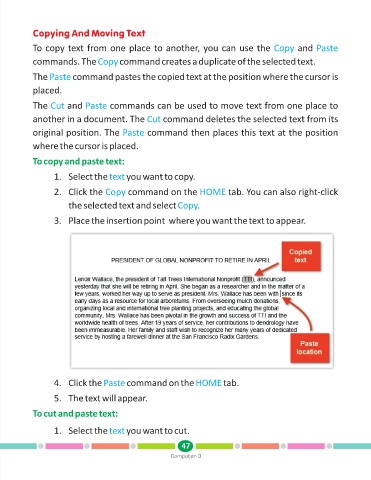
                   3. Place the insertion point  where you want the text to appear.


                   4. Click the Paste        command on the HOME             tab.

                   5. The text will appear.


            To cut and paste text:

                   1. Select the text       you want to cut.


                                                               47
                                                           Computer-3

