


Page 42 - Inner-3
P. 42
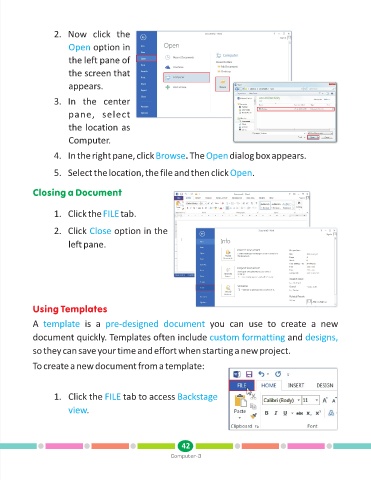
2. Now  click  the

                        Open     option in

                        the left pane of

                        the screen that
                        appears.

                   3. In  the  center

                        pane,  select

                        the location as

                        Computer.

                   4. In the right pane, click Browse           . The Open      dialog box appears.


                   5. Select the location, the file and then click Open                .


            Closing a Document


                   1. Click the FILE       tab.


                   2. Click Close       option in the

                        left pane.


            Using Templates

            A  template       is  a  pre-designed  document              you  can  use  to  create  a  new
            document quickly. Templates often include custom formatting                            and designs,

            so they can save your time and effort when starting a new project.


            To create a new document from a template:


                   1. Click the FILE       tab to access Backstage

                        view  .


                                                               42
                                                           Computer-3

