


Page 54 - Inner-3
P. 54
Main Screen of Tux Paint

            The Tux Paint window can be divided into six sections:


            1. Title Bar:     Topmost part of Tux Paint window is called title bar.

            2. Tools:     The tools section has a collection of tools using which you will draw

                 the picture or color the picture.


            3. Canvas:       The blank white area where you will draw and colour is called

                 canvas, it is also called as drawing area          .

            4. Brushes  or  Selector:            This  section  is  a  sub-section  of  tools.  It  has  a

                 collection of different types of brushes, stamps and other options related

                 to the tool that you select.


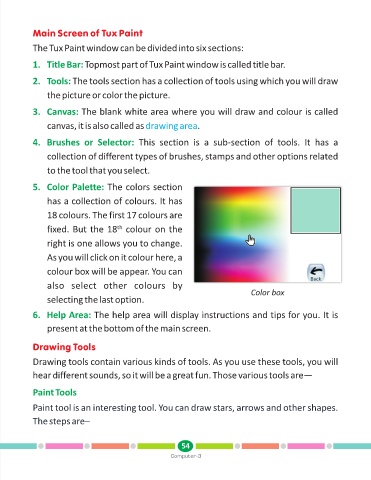
            5. Color Palette:        The colors section

                 has a collection of colours. It has

                 18 colours. The first 17 colours are

                 fixed. But the 18  colour on the
                                         th
                 right is one allows you to change.

                 As you will click on it colour here, a

                 colour box will be appear. You can

                 also  select  other  colours  by
                                                                                      Color box
                 selecting the last option.


            6. Help Area:        The help area will display instructions and tips for you. It is

                 present at the bottom of the main screen.


            Drawing Tools

            Drawing tools contain various kinds of tools. As you use these tools, you will
            hear different sounds, so it will be a great fun. Those various tools are—


            Paint Tools

            Paint tool is an interesting tool. You can draw stars, arrows and other shapes.

            The steps are–


                                                               54
                                                           Computer-3

