


Page 56 - Inner-3
P. 56
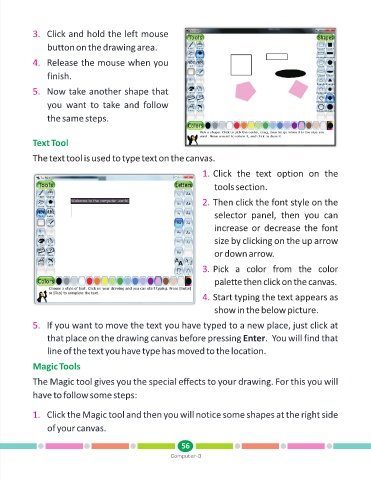
3. Click and hold the left mouse

                 button on the drawing area.

            4. Release the mouse when you

                 finish.

            5. Now take another shape that

                 you  want  to  take  and  follow

                 the same steps.


            Text Tool


            The text tool is used to type text on the canvas.

                                                                      1. Click  the  text  option  on  the

                                                                          tools section.

                                                                      2. Then click the font style on the

                                                                          selector  panel,  then  you  can
                                                                          increase or decrease the font

                                                                          size by clicking on the up arrow

                                                                          or down arrow.

                                                                      3. Pick  a  color  from  the  color

                                                                          palette then click on the canvas.

                                                                      4. Start typing the text appears as

                                                                          show in the below picture.

            5. If you want to move the text you have typed to a new place, just click at

                 that place on the drawing canvas before pressing Enter.  You will find that
                 line of the text you have type has moved to the location.


            Magic Tools

            The Magic tool gives you the special effects to your drawing. For this you will

            have to follow some steps:


            1. Click the Magic tool and then you will notice some shapes at the right side

                 of your canvas.


                                                               56
                                                           Computer-3

