


Page 55 - Inner-3
P. 55
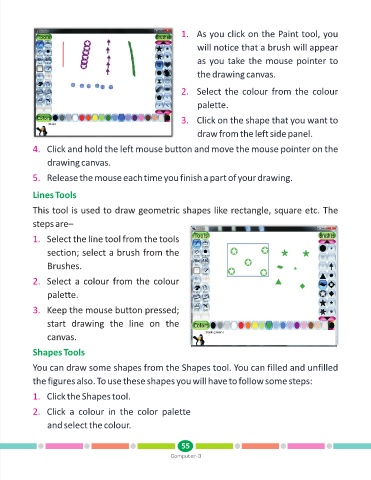
1. As you click on the Paint tool, you

                                                                    will notice that a brush will appear

                                                                    as you take the mouse pointer to

                                                                    the drawing canvas.

                                                               2. Select the colour from the colour

                                                                    palette.

                                                               3. Click on the shape that you want to

                                                                    draw from the left side panel.


            4. Click and hold the left mouse button and move the mouse pointer on the

                 drawing canvas.

            5. Release the mouse each time you finish a part of your drawing.

            Lines Tools


            This tool is used to draw geometric shapes like rectangle, square etc. The
            steps are–


            1. Select the line tool from the tools

                 section; select a brush from the
                 Brushes.


            2. Select a colour from the colour

                 palette.

            3. Keep the mouse button pressed;

                 start  drawing  the  line  on  the
                 canvas.


            Shapes Tools

            You can draw some shapes from the Shapes tool. You can filled and unfilled

            the figures also. To use these shapes you will have to follow some steps:

            1. Click the Shapes tool.

            2. Click  a  colour  in  the  color  palette

                 and select the colour.


                                                               55
                                                           Computer-3

