


Page 57 - Inner-3
P. 57
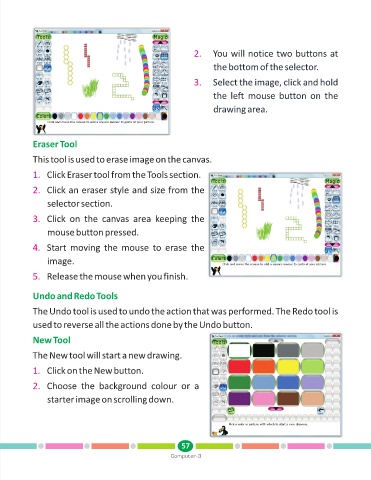
2.    You will notice two buttons at

                                                                          the bottom of the selector.

                                                                   3.    Select the image, click and hold

                                                                         the left mouse button on the

                                                                         drawing area.


            Eraser Tool

            This tool is used to erase image on the canvas.

            1. Click Eraser tool from the Tools section.

            2. Click an eraser style and size from the

                 selector section.

            3. Click  on  the  canvas  area  keeping  the

                 mouse button pressed.


            4. Start  moving  the  mouse  to  erase  the
                 image.


            5. Release the mouse when you finish.


            Undo and Redo Tools

            The Undo tool is used to undo the action that was performed. The Redo tool is

            used to reverse all the actions done by the Undo button.

            New Tool

            The New tool will start a new drawing.


            1. Click on the New button.

            2. Choose  the  background  colour  or  a

                 starter image on scrolling down.


                                                               57
                                                           Computer-3

